
eLearning Platform Profitability & Fit Calculator
Enter your course details to estimate potential revenue and find the most suitable platform type for your niche.
You have the expertise. You know how to teach Python, master French grammar, or crack the GMAT. But turning that knowledge into a scalable business often stalls at one hurdle: technology. You don't need a team of six developers or a million-dollar budget to launch your own online eLearning platform. In fact, most successful solo educators start with a no-code approach that costs less than a used car.
Building a platform isn't just about uploading videos. It’s about creating an environment where students actually finish what they start. That means handling payments, tracking progress, and delivering content without friction. If you’re looking to escape the high commission fees of marketplaces like Udemy, this guide breaks down exactly how to build your own space in 2026.
Key Takeaways
- Choose Your Tech Stack Wisely: Decide between SaaS platforms (like Teachable), WordPress plugins (like LearnDash), or custom builds based on your technical skill and growth goals.
- Content is King, but UX is Queen: A beautiful site with slow load times kills retention. Prioritize mobile responsiveness and fast video hosting.
- Pricing Models Matter: Subscriptions generate recurring revenue, while one-time purchases offer cash flow upfront. Hybrid models often work best for niche communities.
- Marketing Starts Before Launch: Don’t build in silence. Validate your idea with a waitlist or pre-sales before writing a single line of code.
Define Your Niche and Business Model
Before you touch any software, ask yourself: who exactly am I serving? "Online learning" is too broad. Are you teaching advanced Excel formulas to financial analysts, or basic knitting to retirees? The audience dictates the features you need.
A corporate training platform needs different tools than a hobbyist yoga site. Corporate clients want SCORM compliance, detailed reporting, and invoicing capabilities. Hobbyists want community forums, live zoom integrations, and easy mobile access. Defining this early saves you from buying expensive enterprise software when a simple subscription plugin would do.
Next, pick your revenue model. This decision impacts your platform choice significantly.
| Model | Best For | Pros | Cons |
|---|---|---|---|
| One-Time Purchase | Specific skills (e.g., "Learn Photoshop in 7 Days") | Immediate cash flow; low commitment for users | No recurring income; hard to scale LTV |
| Subscription | Ongoing education (e.g., Monthly Coding Challenges) | Predictable monthly revenue; higher customer lifetime value | Requires constant fresh content; churn management |
| Cohort-Based | High-touch coaching or masterclasses | High price point; strong community bonds | Limited scalability; time-intensive delivery |
| Freemium | Broad appeal products with upsells | Low barrier to entry; large user base | Conversion rates can be low; support burden increases |
Choose Your Technology Stack
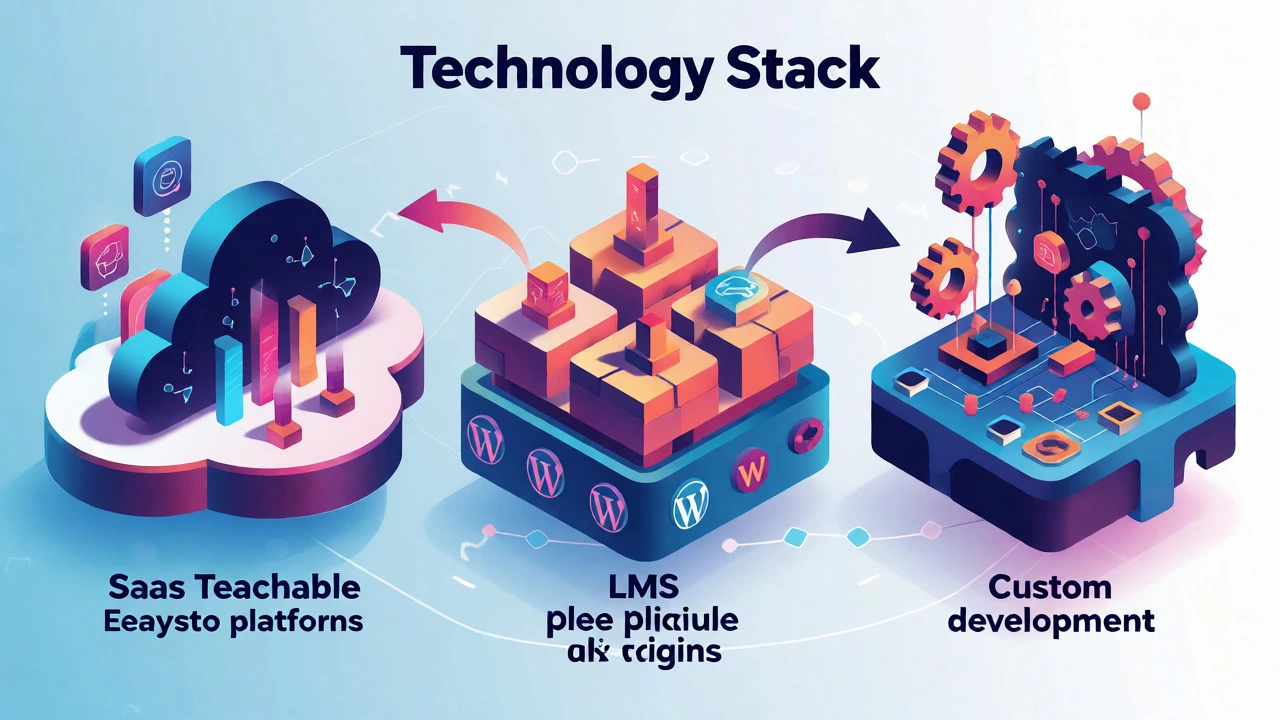
This is where most people get stuck. Do you code it from scratch? Use a website builder? Or buy a dedicated platform? Let's look at the three main paths available today.
Option 1: All-in-One SaaS Platforms
Platforms like Teachable, a popular cloud-based learning management system designed for creators to sell courses easily, Thinkific, or Kajabi handle everything. Hosting, payment processing, and email marketing are built-in. You log in, upload videos, set prices, and go live in days.
The trade-off? You pay monthly fees plus transaction charges. You also lack deep customization. If you want a unique checkout flow or specific gamification elements, you might hit a wall. These are great for beginners who want speed over flexibility.
Option 2: WordPress + LMS Plugins
If you already run a blog or website, adding an LMS plugin is cost-effective. Tools like LearnDash or TutorLMS turn your existing site into a school. You own the data, avoid transaction fees, and have unlimited design freedom via themes.
However, you become the IT manager. You handle updates, security patches, and server performance. If your site crashes during a product launch, that’s on you. This path suits those comfortable with basic tech troubleshooting.
Option 3: Custom Development
Hiring developers to build a bespoke platform using React, Node.js, or Django gives you total control. You can integrate AI tutors, complex branching logic, or proprietary analytics. But this is expensive. Expect costs starting at $15,000-$30,000 for a minimum viable product (MVP). Only choose this if you have significant funding or a unique feature set that off-the-shelf tools can't replicate.
Master Content Creation and Hosting
Your platform is just a container. The content inside determines success. Students don't care about your sleek UI if the audio is muffled or the video buffers every ten seconds.
Invest in decent gear. A $100 USB microphone (like the Blue Yeti) sounds infinitely better than a laptop mic. Good lighting matters more than camera quality-face a window or use a softbox light. Keep videos short. Attention spans are shrinking. Break lessons into 5-10 minute chunks. This improves completion rates and makes content easier to update later.
Where do you host the videos? Never upload them directly to your website. Video files are heavy and will kill your page load speed. Use specialized video hosts like Wistia, Vimeo, or Mux. They provide adaptive streaming, which adjusts quality based on the user's internet connection. Most LMS platforms integrate seamlessly with these services.
Don't forget non-video assets. PDFs, quizzes, and assignment templates add value. Quizzes aren't just for grading; they reinforce learning. Use interactive elements like drag-and-drop exercises to keep engagement high.
Design for User Experience (UX)
Imagine a student trying to sign up on their phone while commuting. If they have to rotate their screen or zoom in to find the "Buy Now" button, they’ll leave. Mobile-first design isn't optional anymore; it's mandatory.
Keep navigation simple. Users should always know where they are in a course. Progress bars help psychologically-they give a sense of accomplishment. Avoid cluttered dashboards. Show only what’s relevant: current lesson, next step, and account settings.
Accessibility is another critical factor. Ensure your platform supports screen readers and has sufficient color contrast. This isn't just good ethics; it expands your potential market. In many regions, accessibility standards are becoming legal requirements for digital services.

Set Up Payments and Security
Trust is currency. If your checkout process looks sketchy, users won't enter credit card details. Use established payment gateways like Stripe or PayPal. They handle PCI compliance, fraud detection, and global currencies so you don't have to.
Consider offering multiple payment options. In some markets, local payment methods (like iDEAL in the Netherlands or Boleto in Brazil) convert better than cards. Also, think about tax implications. VAT/GST rules vary by country. Many SaaS platforms automate tax calculations, which is a huge relief for international sellers.
Security extends beyond payments. Protect user data with SSL certificates and regular backups. If you store personal information, ensure you comply with GDPR (if selling to Europe) or other local privacy laws. A data breach can destroy your reputation overnight.
Launch and Market Your Platform
Here’s a controversial truth: don't wait until your platform is perfect to launch. Perfectionism leads to paralysis. Aim for a Minimum Viable Product (MVP). Get the core functionality working-video playback, purchase, and login-and release it.
Gather feedback immediately. Where did users get stuck? Which lessons had high drop-off rates? Use this data to iterate. Maybe your quiz questions are confusing, or maybe users want downloadable transcripts. Fixing small issues quickly builds loyalty.
Marketing starts before launch. Build an email list by offering a free mini-course or webinar. Tease your upcoming platform on social media. Partner with influencers in your niche for affiliate promotions. Since you own your platform, you keep 100% of the profit margins after fees, unlike marketplace sellers who lose 30-50% to commissions.
Maintain and Scale
Once you're live, the work continues. Monitor your metrics closely. Key indicators include Customer Acquisition Cost (CAC), Lifetime Value (LTV), and Course Completion Rate. If completion rates are below 40%, your content might be too long or boring. If CAC is rising, your ads aren't targeting the right people.
Scale by adding new courses, not just more traffic. Upsell existing students to advanced tiers. Create a community forum to reduce support tickets and increase engagement. Happy students become brand ambassadors, driving organic referrals that cost nothing.
Do I need coding skills to create an online eLearning platform?
No, you don't need coding skills if you use SaaS platforms like Teachable or Thinkific, or WordPress with an LMS plugin. These tools offer drag-and-drop interfaces. Coding is only necessary if you build a custom solution from scratch.
How much does it cost to start an eLearning platform?
Costs vary widely. A SaaS subscription might cost $39-$299/month. WordPress setup could range from $500-$2,000 including premium plugins and hosting. Custom development typically starts at $15,000+. Remember to budget for content creation equipment and marketing as well.
What is the best LMS for beginners?
For absolute beginners, all-in-one SaaS platforms like Teachable or Podia are often best because they handle technical maintenance. If you already have a WordPress site, LearnDash is a powerful and flexible option that integrates well with existing content.
Can I migrate my courses from Udemy to my own platform?
Yes, but you must export your video files and text content manually. Udemy doesn't provide a direct export tool for full course structures. You'll need to re-upload videos to your new host and recreate the course structure in your new LMS. Check Udemy's terms regarding student contact lists for marketing.
How do I handle refunds on my own platform?
Most payment gateways allow you to issue refunds directly. You should define a clear refund policy (e.g., 14-day money-back guarantee) and display it prominently on the sales page. Automated workflows in your LMS can trigger emails upon refund requests to streamline the process.